
Complete and celebrate your collection
Discover species, switch companions and save a family portrait of all 18.
Step 1. Choose an egg in Shop
Open Shop from Pet. Check an egg’s price, unlock condition, possible species and hatching requirement before choosing Buy. The confirmation shows Sparks spent; View your eggs returns to the habitat. New eligible Sparks from practice answers and daily challenges advance hatching. The header’s Back also returns to Pet.
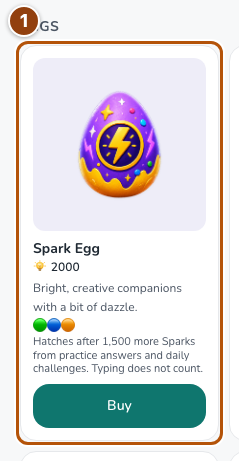
Reference 1 · The numbered outline marks the useful controls. Select the screenshot to enlarge it. Step 2. Visit Collection
Open Collection from Pet. Species discovered counts distinct species, grouped by egg. Choose Set active on an owned companion; for duplicates, expand the species card to choose a specific companion. The header’s Back returns to Pet. Your current Sparks remain visible in the common header.
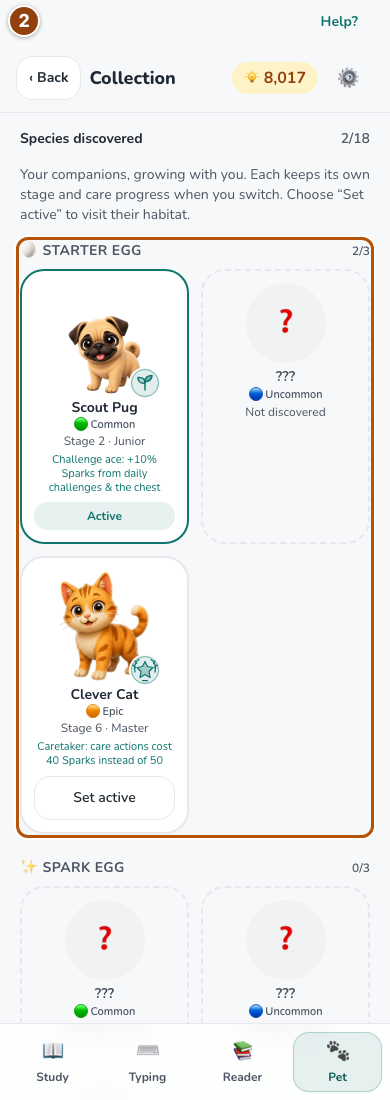
Reference 2 · The numbered outline marks the useful controls. Select the screenshot to enlarge it. Step 3. Celebrate all 18 species
When you own all 18 original species, Pet shows an invitation to Collection. Open Collection for the family celebration. The milestone recognizes discovery; your companions can still be at different ages.
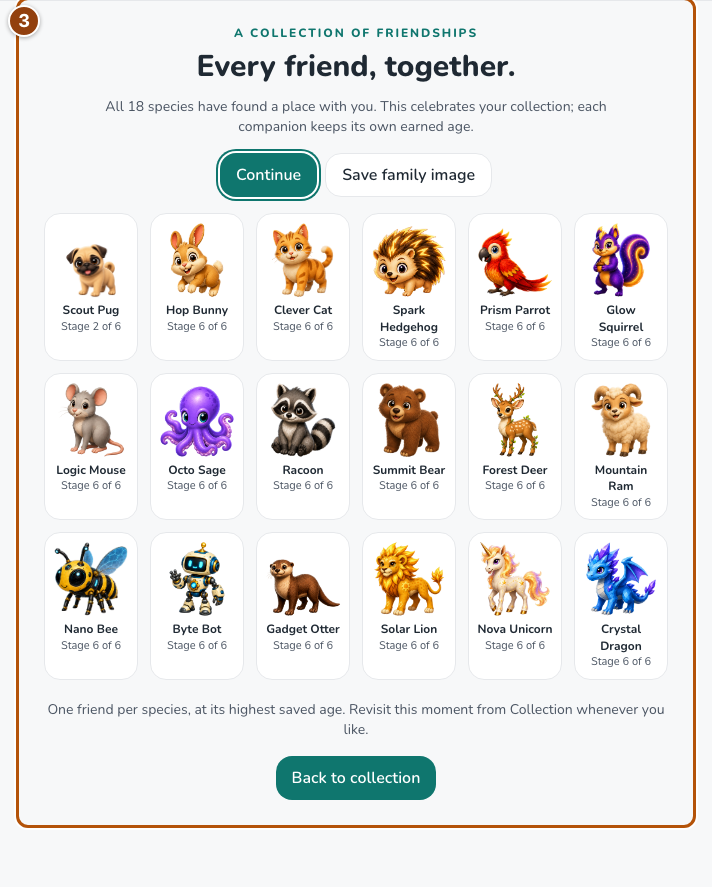
Reference 3 · The numbered outline marks the useful controls. Select the screenshot to enlarge it. Step 4. Save the family image or revisit later
Choose Save family image to download a PNG. Continue closes the celebration and saves that you have seen it. Use Celebrate collection on the milestone card to reopen it at any time.
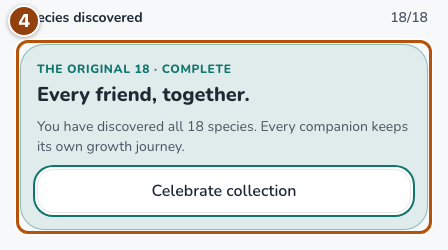
Reference 4 · The numbered outline marks the useful controls. Select the screenshot to enlarge it.