
Practice, check answers and return later
Use a short session, understand feedback and find your next useful review.
Step 1. Choose your next session
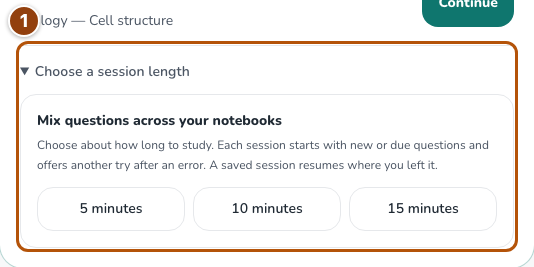
On Study, follow the main recommendation. A saved session takes priority; other suggestions depend on exam dates, due reviews and available questions. When Choose a session length is shown, expand it to choose about 5, 10 or 15 minutes. The chooser is hidden while a saved session is waiting or when no session is available.
Reference 1 · The numbered outline marks the useful controls. Select the screenshot to enlarge it. Step 2. Try the answer before using help
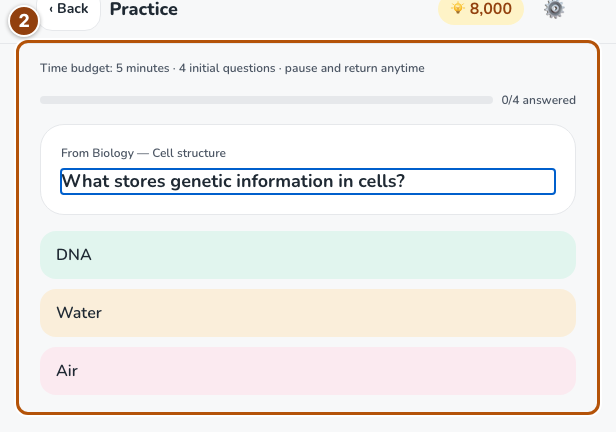
Read the question and choose an answer, or type one when the session offers recall. Read the feedback after submitting. An incorrect answer can return later for a correction.
Reference 2 · The numbered outline marks the useful controls. Select the screenshot to enlarge it. Step 3. Check the explanation and finish the session
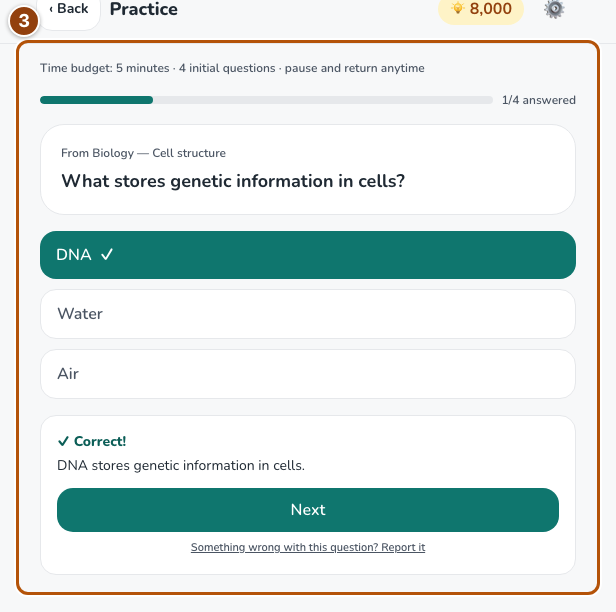
Read the explanation and source reference when available. Use Next or Finish session to reach the saved result. A corrective retry helps you learn; it does not replace the first answer’s score or award a second answer reward. If you leave, use the saved-session recommendation on Study to resume.
Reference 3 · The numbered outline marks the useful controls. Select the screenshot to enlarge it. Step 4. Use the notebook tools for your goal
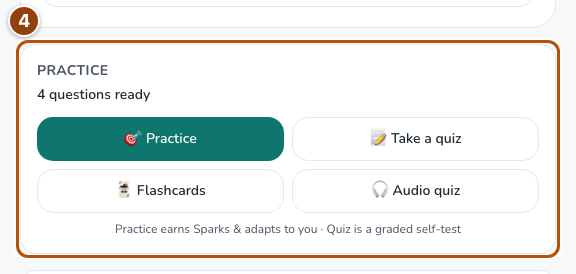
Open Flashcards for recall, Quiz to test yourself, or the study sheet to revisit the material. The notebook also offers reading, audio and study songs. Return when reviews become due; repeating a question early does not earn more Sparks.
Reference 4 · The numbered outline marks the useful controls. Select the screenshot to enlarge it.