
Hatch and care for your companion
Understand Sparks, free comfort, care and the six growth stages.
Step 1. Meet your first companion
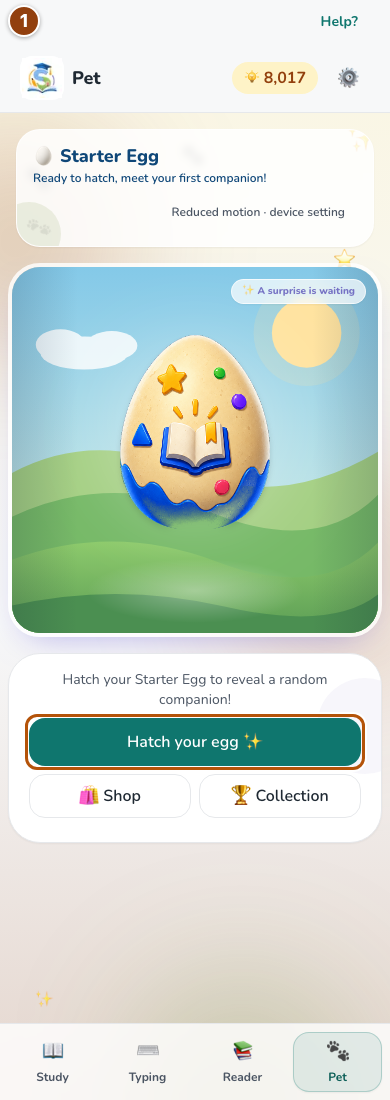
Choose Pet in the bottom bar. The common header shows your Sparks and Settings; your companion area is below it. Check the starter egg’s progress and choose Hatch your egg when ready. Eligible practice answers and daily challenges advance hatching; typing earnings do not. The reveal stays open until you continue and offers an image download.
Reference 1 · The numbered outline marks the useful controls. Select the screenshot to enlarge it. Step 2. Read needs and choose a care action
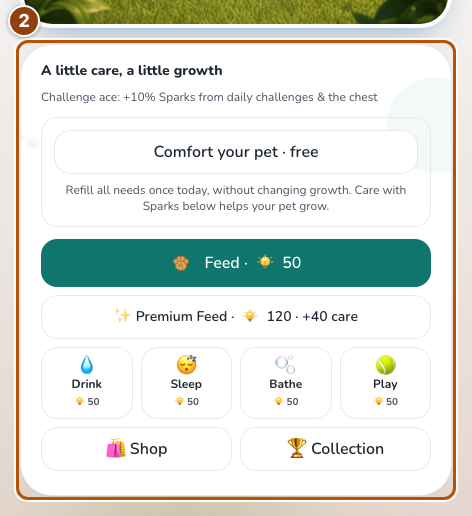
Read the habitat’s five needs and use the care buttons below it. Some companions use themed names, such as Power or Temperature. Each action shows its Sparks cost or available stock. Feeding uses stocked food first. Read the saved confirmation; an already full need cannot be charged again. Open Shop or Collection below the care buttons.
Reference 2 · The numbered outline marks the useful controls. Select the screenshot to enlarge it. Step 3. Use free comfort when it is available
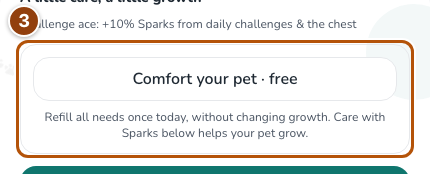
When needs are low, the free comfort option can refill them once per companion and local day. It uses no Sparks and adds no growth. You can return after a break without losing an earned stage.
Reference 3 · The numbered outline marks the useful controls. Select the screenshot to enlarge it. Step 4. Follow the growth journey
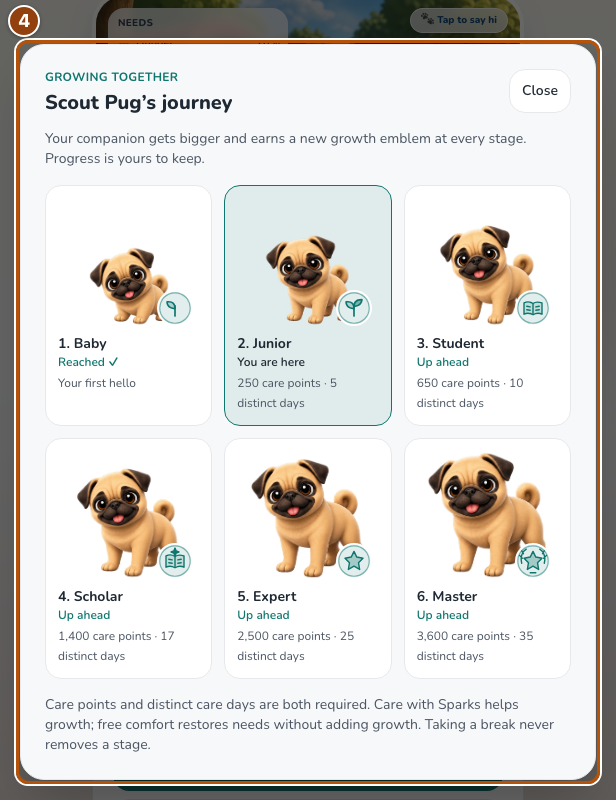
Check Care points and Distinct care days: both requirements must be met for the next stage. Open Journey to see all six ages, earned stages and future requirements. Stage 6 is fully grown. Care still restores needs, but there is no seventh growth stage. You can continue caring, switch to another companion or work toward the collection milestone.
Reference 4 · The numbered outline marks the useful controls. Select the screenshot to enlarge it.