
Import flashcards from Quizlet or Anki
Paste a set, check the preview and get flashcards, practice questions and games.
Step 1. Open the import
On Study, choose + Add, then Import from Quizlet or Anki. On a new account, Import from Quizlet is also on the Study page, and Play offers Import flashcards when you have no notebook yet. Nothing is saved until you choose Import.
Step 2. Copy your set
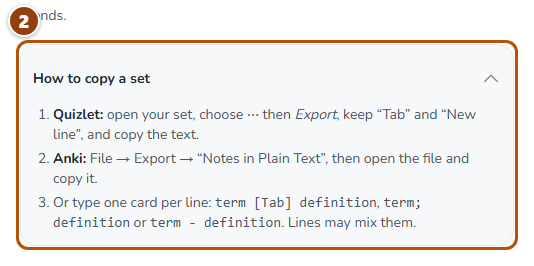
Open How to copy a set. In Quizlet, open your set, choose ⋯ then Export, keep Tab and New line, and copy the text. In Anki, choose File, then Export, then Notes in Plain Text; open the file and copy it. You can also type one card per line.
Reference 2 · The numbered outline marks the useful controls. Select the screenshot to enlarge it. Step 3. Paste your cards and check the preview
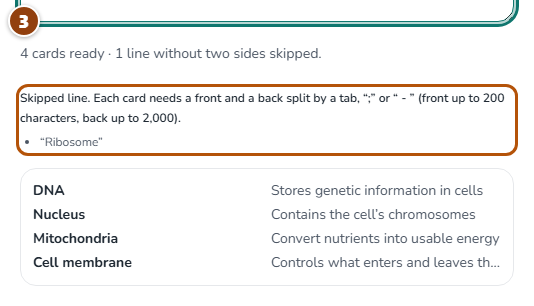
Give the set a name, then paste into Paste your cards. Each line needs a front and a back split by a tab, a semicolon (;) or a dash with a space on each side ( - ). Lines may mix these separators. The line under the box counts the cards ready, the repeated cards kept once and the lines skipped. Skipped lines are listed as you pasted them, so you can fix them. A front takes up to 200 characters, a back up to 2,000, and a set up to 500 cards.
Reference 3 · The numbered outline marks the useful controls. Select the screenshot to enlarge it. Step 4. Import the set
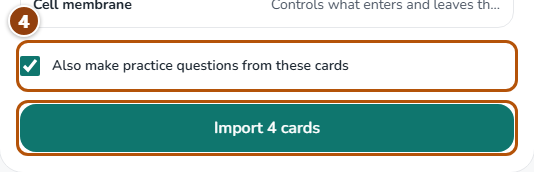
Keep Also make practice questions from these cards ticked to get practice questions too, then choose Import. Skillwisy creates a notebook with your cards and opens its flashcards. Practice, the quiz and the six games work on it right away. No AI is used, so the import does not count against your AI allowance.
Reference 4 · The numbered outline marks the useful controls. Select the screenshot to enlarge it.