
Get Skillwisy Math Plus
See what the family license adds, buy it or activate a code, and find receipts and refunds.
Step 1. See what Plus adds
Skillwisy Math stays free. Skillwisy Math Plus is a family license: USD 119 a year for your family: up to 5 child accounts, plus 4 Skillwisy Pro codes for teens. No automatic renewal. It adds a starting assessment, weekly plans, a full progress dashboard, printable monthly reports and a yearly record, printable worksheets with answer keys, a longer lesson history and 4 Skillwisy Pro codes of 12 months for teens aged 13 or older. Open it with Get Skillwisy Math Plus on Pricing, or from its card on Family access.
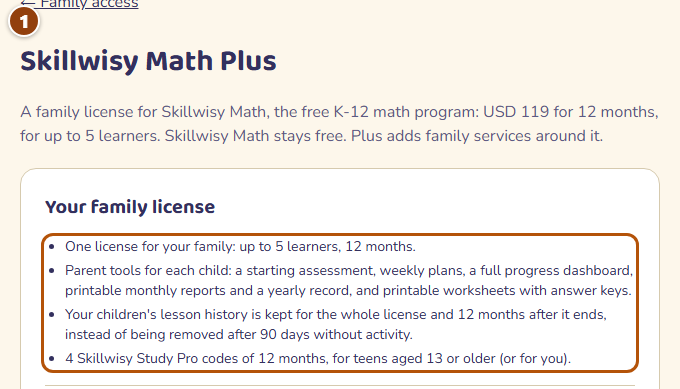
Reference 1 · The numbered outline marks the useful controls. Select the screenshot to enlarge it. Step 2. Accept the Plus addendum first
Buying and activating both need the Plus addendum. With it, Skillwisy keeps your children’s lesson history for the whole license and 12 months after it ends, instead of removing it after 90 days without activity. Until you tick the box, the buttons stay unavailable and say why. Read the addendum opens the full text.
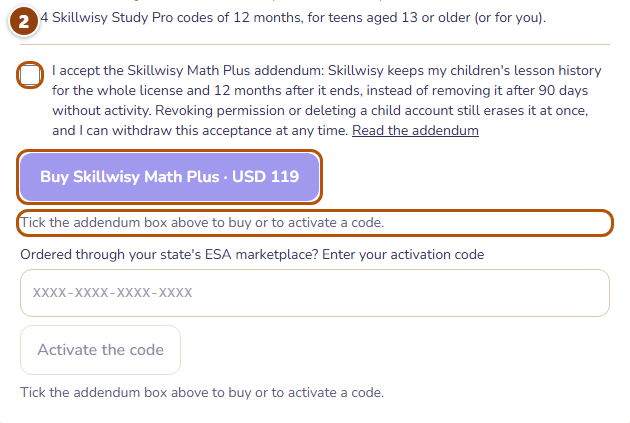
Reference 2 · The numbered outline marks the useful controls. Select the screenshot to enlarge it. Step 3. Buy by card
Tick the addendum box and choose Buy Skillwisy Math Plus · USD 119. You pay on Stripe’s secure checkout page. Back on Skillwisy, your license appears as soon as Stripe confirms the payment, usually within a minute, and a confirmation arrives by email. If you cancel at checkout, nothing is charged. In the last 60 days of a license, the button becomes Renew for 12 more months.
Step 4. Activate an ESA activation code
For an order through a state education savings account (ESA) marketplace, tick the addendum box, type your code under Ordered through your state’s ESA marketplace? and choose Activate the code. Skillwisy Math Plus is not listed in any ESA marketplace yet; the page for ESA families has a waiting list.
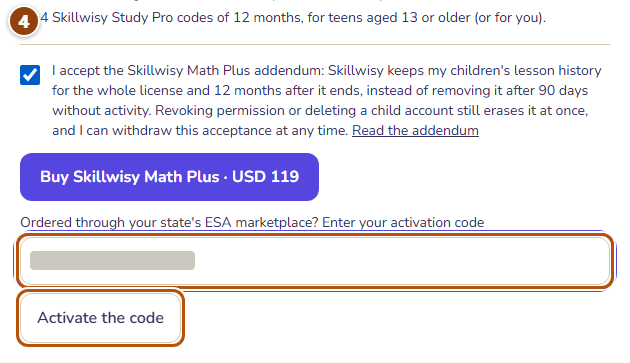
Reference 4 · The numbered outline marks the useful controls. Select the screenshot to enlarge it. Step 5. Use your license
Once Plus is active, the card says Active until and the end date. It lists the Skillwisy Pro codes for your teens: each teen signs in to their own Skillwisy account (13 or older) and enters one code at skillwisy.com/redeem. On Family access, each child gets a Progress dashboard, a Weekly plan, a Starting assessment and a Monthly report. You can withdraw the Plus addendum at any time; lessons are then removed after 90 days without activity.
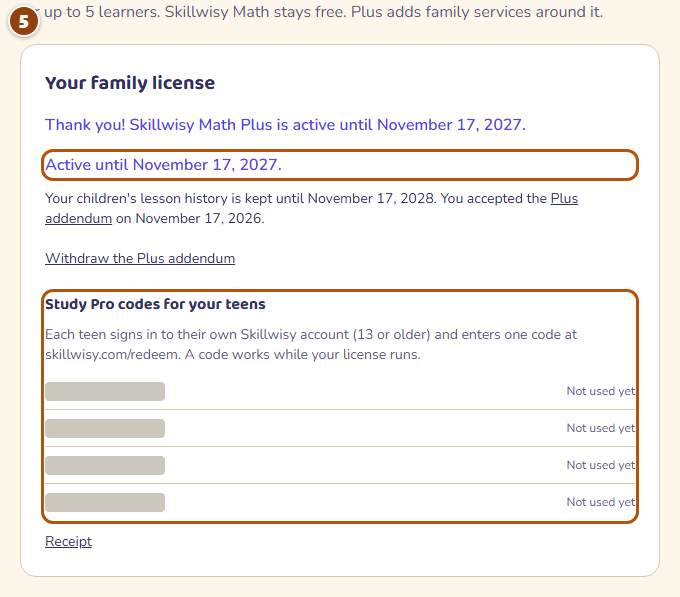
Reference 5 · The numbered outline marks the useful controls. Select the screenshot to enlarge it. Step 6. Print receipts and the program description
Choose Receipt, or Open the printable receipts under Receipts and program description. Each card payment or ESA order has its own receipt, followed by a description of the program for your ESA file or your family’s records. Type a name to print if you want one, then print on US Letter paper.
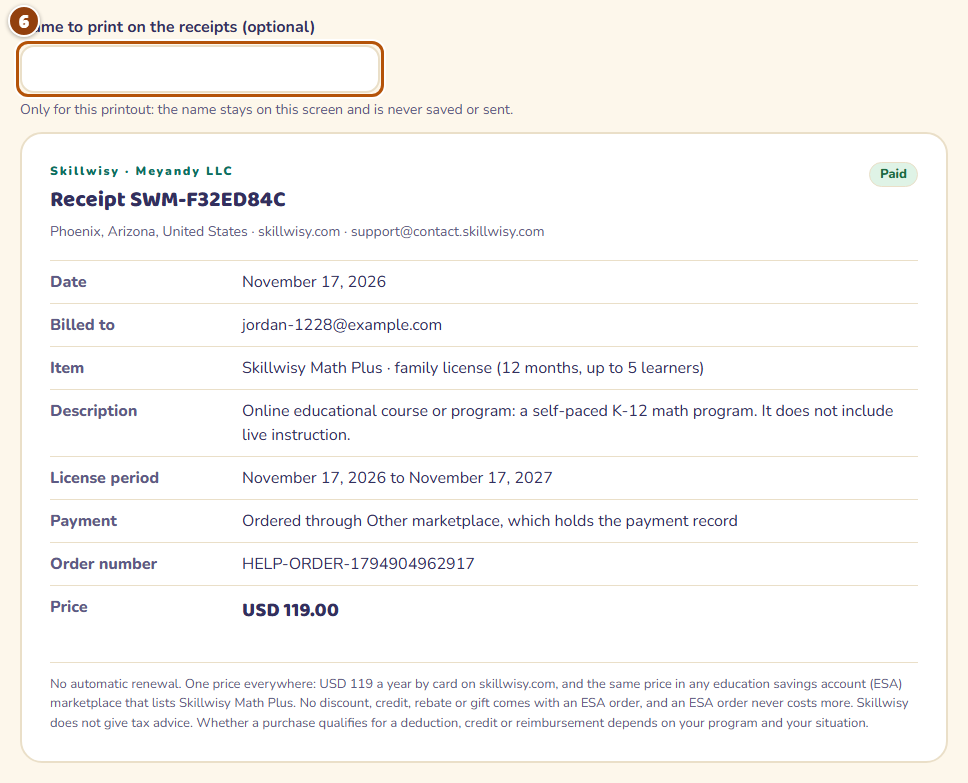
Reference 6 · The numbered outline marks the useful controls. Select the screenshot to enlarge it. Step 7. Know the refund rules
Card purchases: ask within 14 days of the payment and it is refunded in full, through Stripe, to the card that paid. To ask, write to support@contact.skillwisy.com with your order email. This full refund is available once per family; a renewal is a separate payment with its own 14 days, within that same limit. ESA orders: ask through your program’s marketplace, or write to us with the order number; the refund is paid back to the program. A full refund takes back the 12 months that payment paid for. If no other payment backs the license, it ends. The Skillwisy Pro codes included with that payment end too, including codes already redeemed. See the Refund and Cancellation Policy for every case.